 Orchbee
In early development · Not released yet
You clock out.Your agents don’t.
Orchbee is a modern terminal built for AI agents. Close the window and come back later: the Session keeps running in the background with every shell and agent in it, and the sidebar shows which agent needs you.
Windows 11 · Source build for contributors
01Terminal
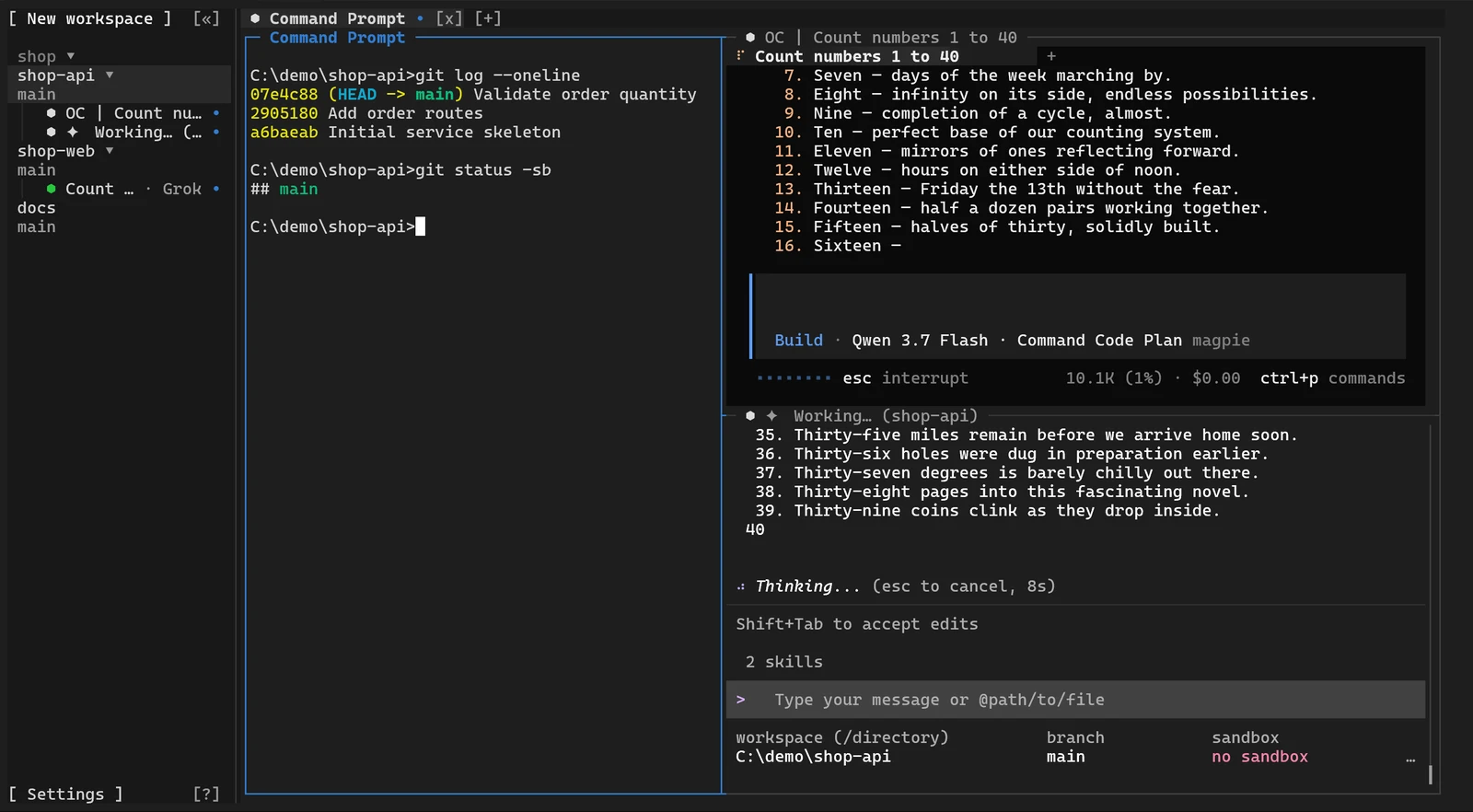
A real terminal underneath.Built on Ghostty’s core.
Orchbee is a complete terminal first, and everything else is built around it: the Sessions, the agents and the sidebar.
A native terminal process
Terminal emulation runs in a lightweight native process built on the core of Ghostty.
Finished screens
The terminal interface and the desktop application receive the finished screen from that process and only draw it.
GPU rendering
The desktop application renders with WebGPU and falls back to Canvas 2D.
02Multiplexing
One Session.Three ways in.
A conventional terminal session ends when its window closes. An Orchbee Session keeps running in the background, and the terminal interface, the desktop application and the command line attach to it at the same time. Type in one, and the others see it.

03Orchestrate
Every action is a command.Agents can run agents.
Everything you can do in Orchbee, an agent can do through the orchbee command line. One agent can start another, hand it a task, wait for it and read back the answer. Claude Code, Codex, OpenCode, Pi and other CLI agents run unchanged.

Each step is one command
orchbee agent start codex --split right
orchbee agent list
orchbee agent prompt @panel:0x36 "Review the current changes"
orchbee agent wait @panel:0x36 --until idle --timeout 120000
orchbee agent read @panel:0x36 --source recent --lines 40
orchbee agent list prints the handle of each agent.
In developmentRemote machines: add other computers over SSH, and agents use them without changing how they work. Planned for the first release.
04Agents
Run a swarm.See who needs you.
Orchbee recognizes more than 30 agent CLIs without any setup and shows the state of each one. The sidebar lists every agent across all projects, organized by project, Workspace and Git worktree.
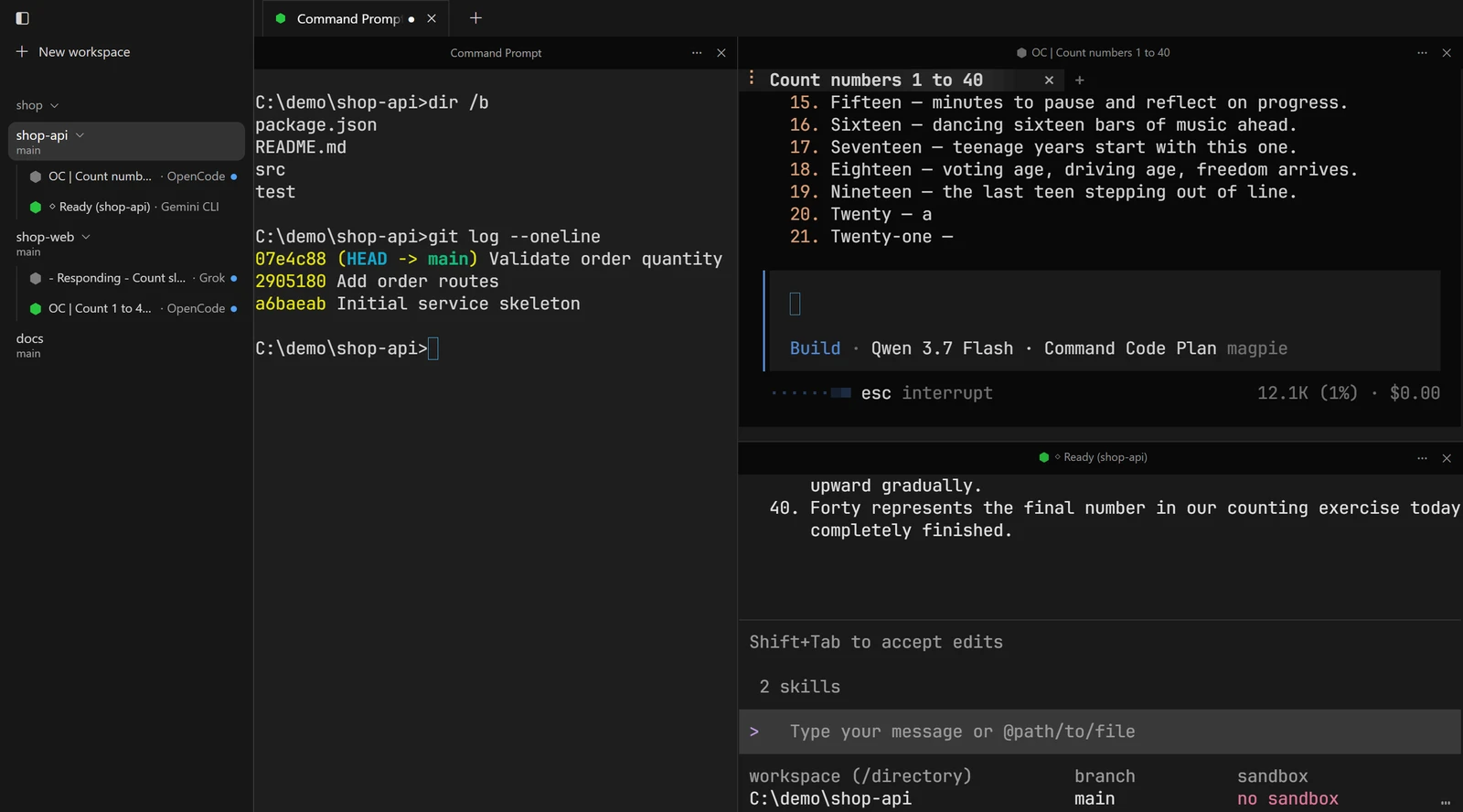
- Working
- Needs attention
- Done
Among the agent CLIs it recognizes
- Claude Code
- Codex
- Gemini CLI
- OpenCode
- Pi
- GitHub Copilot CLI
- Qwen Code
- Kimi
- Amp
- Grok
- Droid
- Cline
05Install
Not released yet.Build it from source.
Orchbee is in active early development. Pre-built applications are not available yet; the source checkout is currently intended for contributors.
Prerequisites: Windows 11, Git, Node.js 22 or later, Corepack, Rust 1.97.0 through rustup, Zig 0.16.0
Every build step is in the READMEPowerShell
# get the source
git clone https://github.com/i-need-token/orchbee.git
cd orchbee
corepack enable
pnpm install
# start the desktop application
pnpm desktop